SAVR - Tyre Pressure Monitoring System

Role
Designer & Developer
Company
SAVR
Platform
Flutter -
iOS & Android
CarPlay
Android Auto
Date
August 2026
OVERVIEW
Real-time tyre health in your pocket - and on the dash
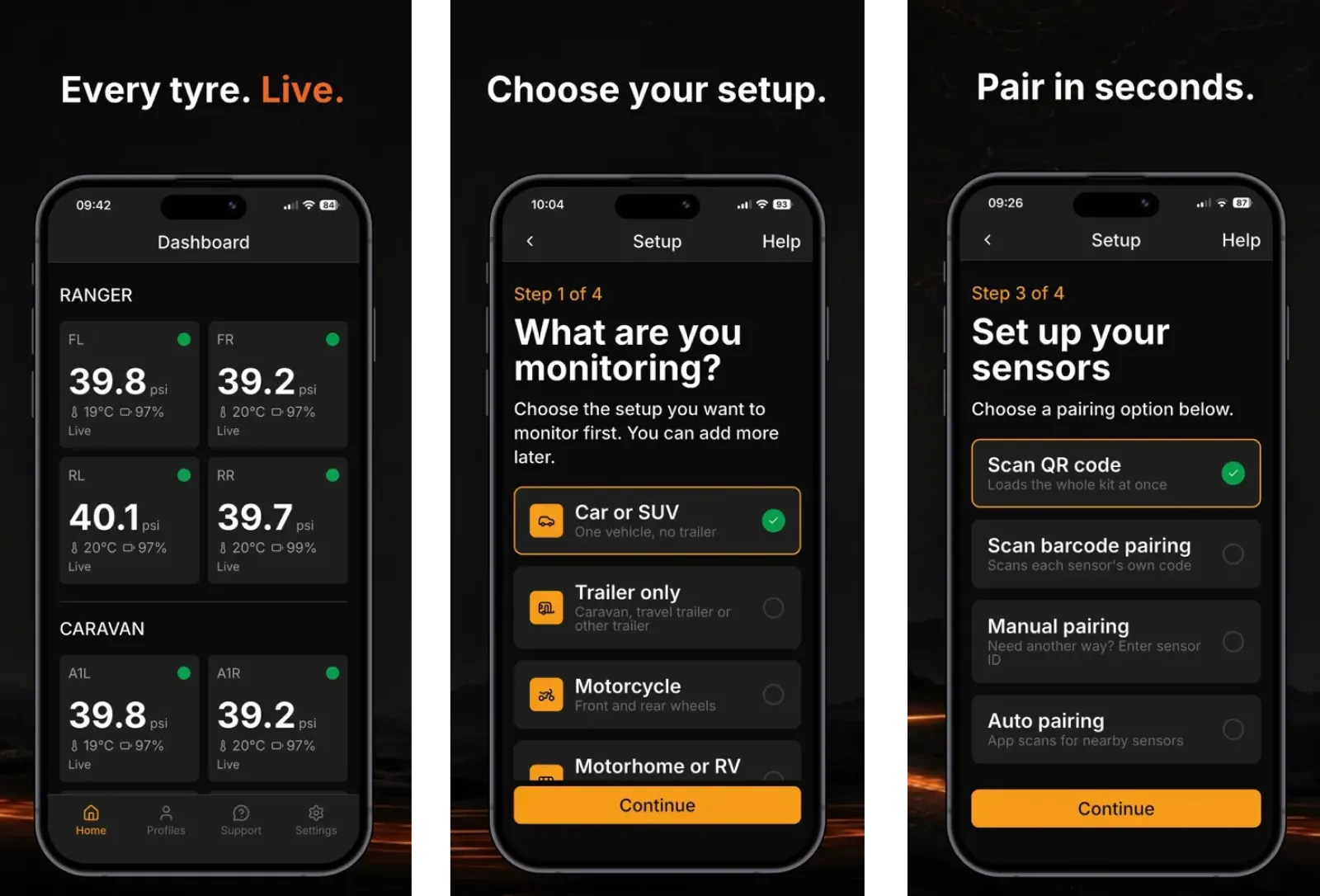
SAVR is a mobile application that connects to tyre pressure monitoring sensors via Bluetooth Low Energy (BLE), giving drivers real-time visibility and control over their vehicle’s tyre health. Built as a complete product from concept to store submission, the app delivers a seamless native experience on iOS and Android - plus CarPlay and Android Auto so drivers can monitor status where they’re already looking while on the road.
Before submission, I ran user testing through Firebase App Distribution - distributing builds to iOS and Android testers to validate BLE pairing, live sensor readability, and core flows on real devices before App Store and Play Store review.
THE CHALLENGE
Drivers lack real-time visibility into tyre health
Tyre pressure affects safety, fuel efficiency, and wear - but most drivers only check manually, if at all. Without live sensor data at a glance, small pressure issues go unnoticed until they become costly or dangerous - and checking a full phone app while driving isn’t a safe substitute.
WHAT I DID
What I owned
The entire product end-to-end as sole designer and developer - discovery, IA, UX/UI, prototyping, Flutter development, in-car experiences, and store submission for both iOS and Android.
What I delivered
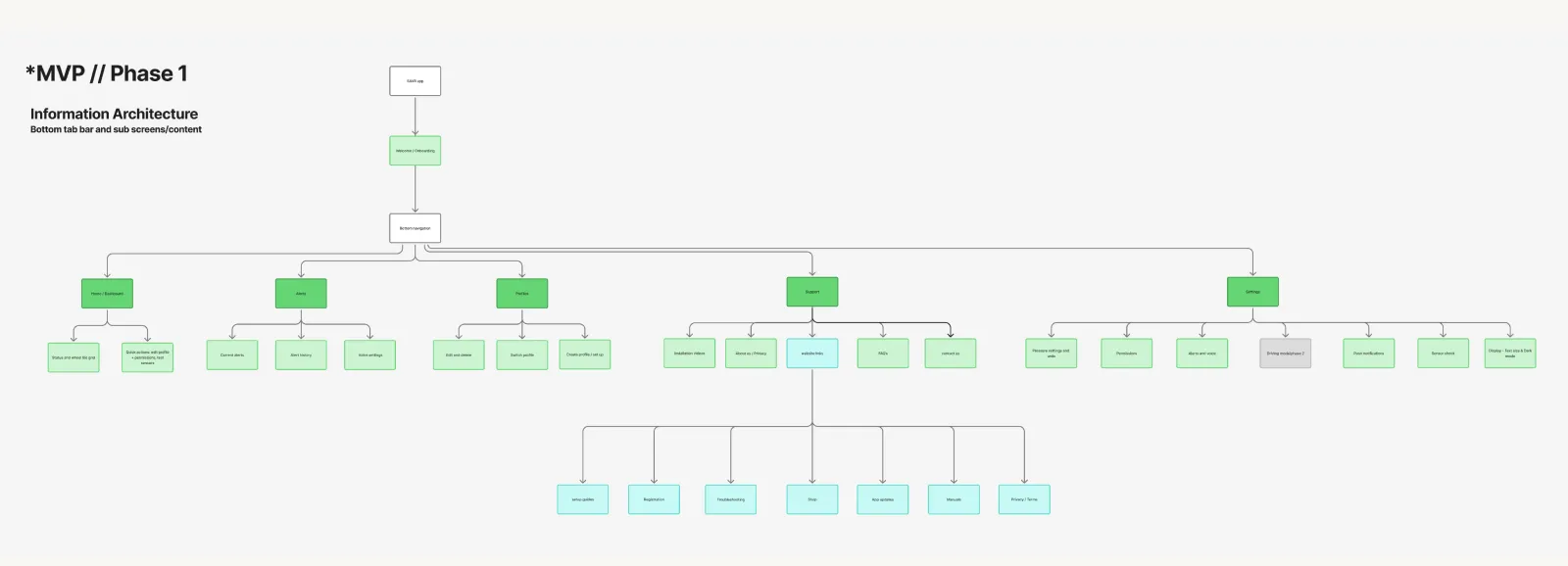
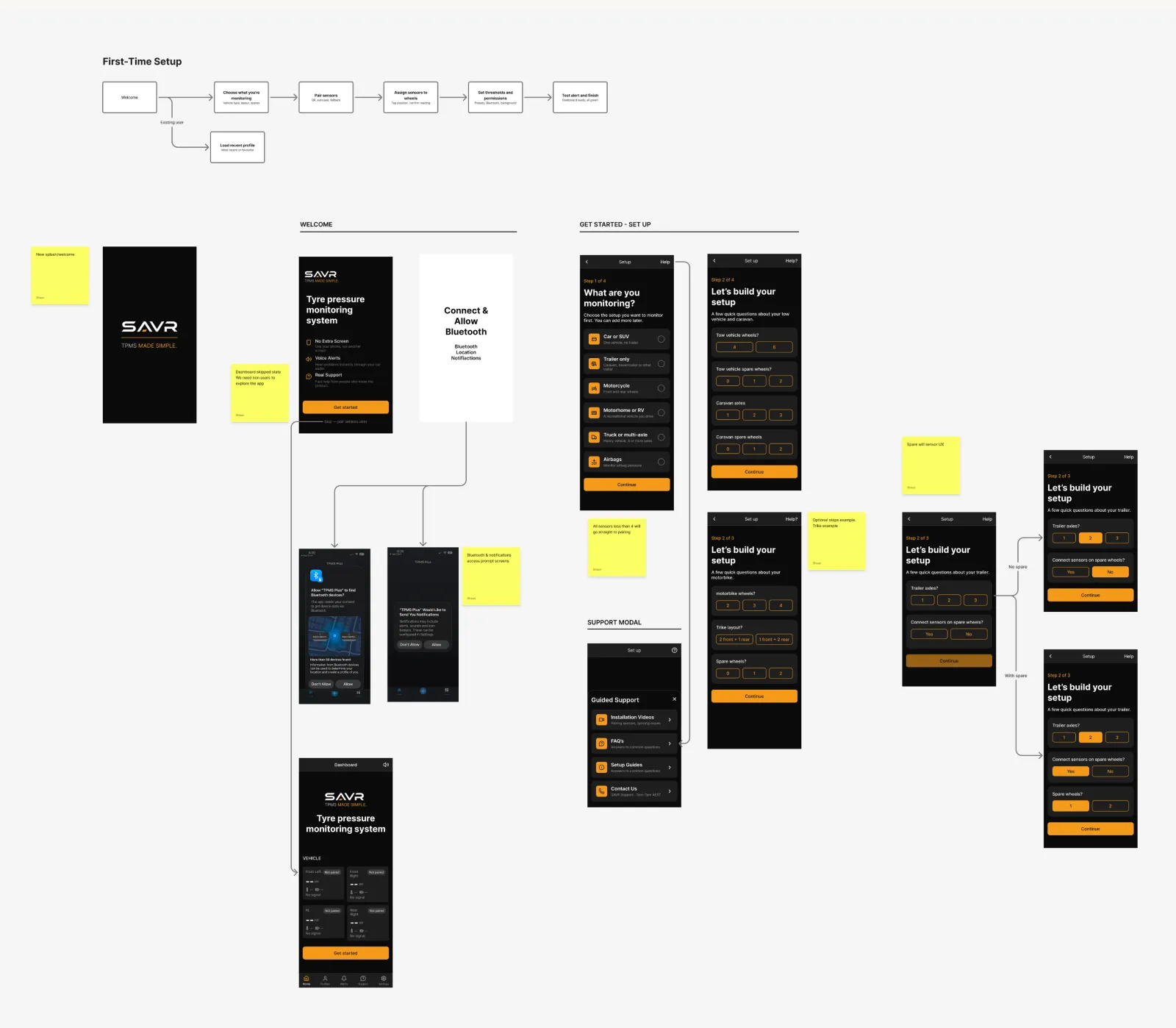
Full product discovery, Information Architecture, user flows and high-fidelity UI
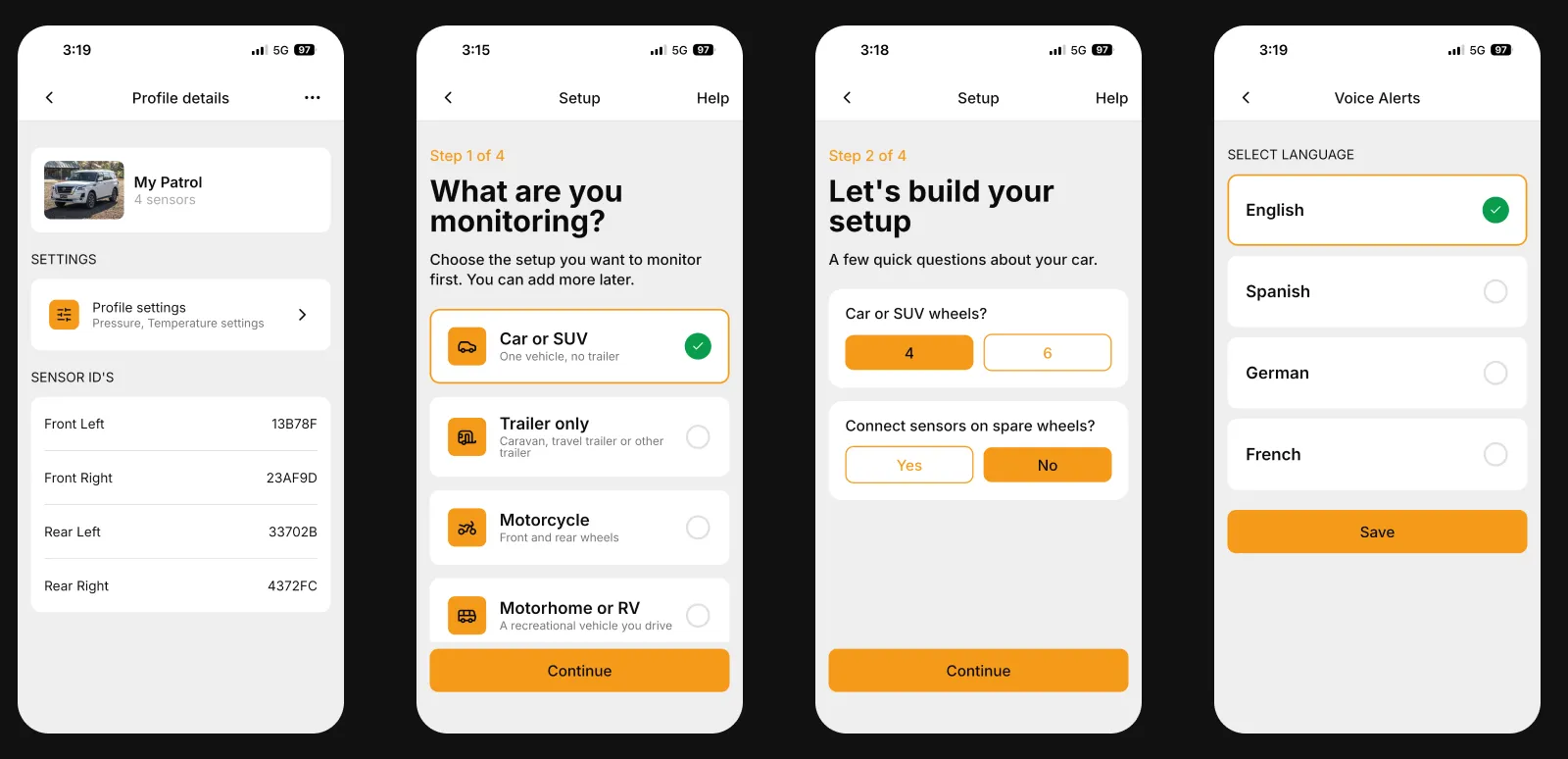
Interactive prototypes prioritising clarity, safety, and live sensor readability
User testing via Firebase App Distribution - iOS and Android builds with real testers
Complete Flutter app - single codebase, native iOS and Android builds
CarPlay and Android Auto - glanceable in-car UI tied to the same live BLE data
BLE connectivity, real-time data handling, and state management
Platform-specific polish and behaviours on phone and in-car surfaces
App Store and Google Play submission - approval in progress
IMPACT
One person, full stack, both stores
2
Mobile platforms · iOS & Android
2
In-car · CarPlay & Android Auto
1
Flutter codebase
BLE
Real-time sensor connectivity
KEY INSIGHT
Monitoring live sensor data is a safety-critical interface - every screen had to prioritise clarity and calm over feature density. That applies twice: on the phone and on the dash, where only a glanceable status belongs.

HOW
Process in brief
Product discovery and user flows - mapped how drivers connect, monitor, and respond to sensor data
User flows to high-fidelity UI and interactive prototypes for every core screen
User testing via Firebase App Distribution - feedback from iOS and Android testers on real hardware
Built in Flutter - BLE pairing, real-time updates, state management, platform-native behaviour
Designed and implemented CarPlay and Android Auto - minimal layouts aligned with in-car HIG and driver-distraction constraints
Prepared and submitted to Apple App Store and Google Play Store
IN-CAR EXPERIENCE
Tyre health is where drivers already look
Tyre pressure is most relevant while driving - not when parked and scrolling through a phone app. CarPlay and Android Auto extend SAVR to the dashboard with a deliberately reduced interface: high-contrast status, essential alerts, and no duplicate of the full mobile experience.
I designed and built both in-car surfaces to stay in sync with the same BLE-backed data as the Flutter app, respecting Apple and Google in-car guidelines so monitoring stays glanceable, trustworthy, and appropriate at speed.
→ CarPlay
Simplified tyre status and alerts for iOS drivers
→ Android Auto
Matching glanceable experience for Android in-car systems
TAKEAWAY
Design for scalability from day one
Owning both sides removed handoff loss - UX decisions stayed tied to technical constraints like BLE reliability and real-time updates. Flutter carried the core product; CarPlay and Android Auto pushed the same safety-first UX into the context where it matters most - behind the wheel.
DOWNLOAD APP
Download Available